KBros Find app icon

KBros Find

Find any file in a moment

Standalone app

KBros Find: Every file and folder, found as you type, free.

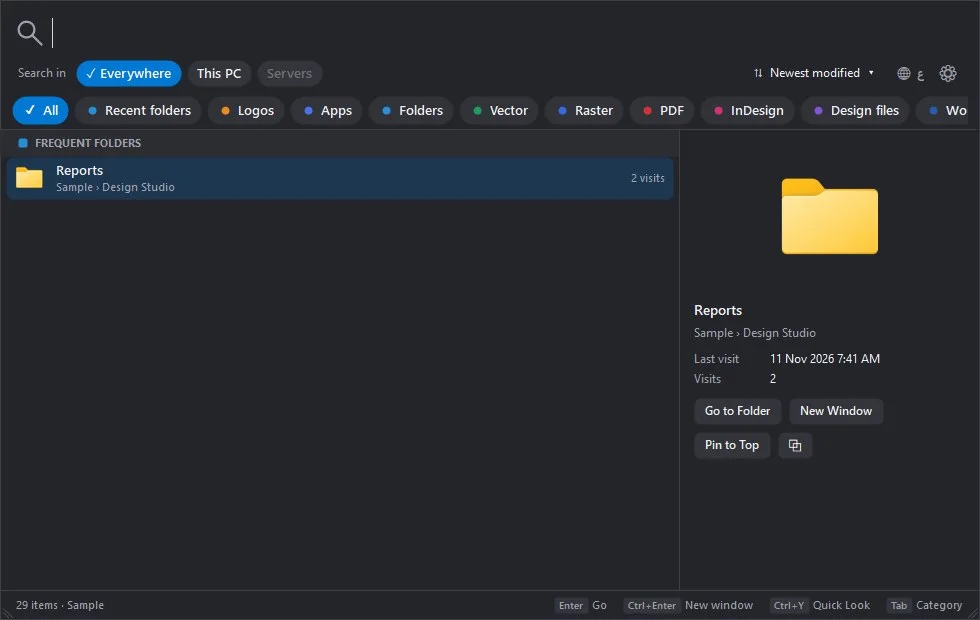
A quick search window for your whole computer, your drives and network folders: results grouped by kind, newest first, with your recent folders on top.

Free gift · Every feature
  • Mac
  • Windowsbeta

Freefor everyone

Free, with every feature. Version 1.1.0 · Mac and Windows

Animated preview of KBros Find
Illustrative preview: type “company logo” and the logos come grouped by kind.

What it does

KBros Find in a minute

Press a shortcut, or Command-F in Finder (Ctrl+F in File Explorer), and KBros Find opens over whatever you are doing. Type a few letters and every file and folder on your computer, your USB drives, your OneDrive, iCloud, Dropbox and Google Drive folders and your network drives shows up at once, grouped by kind: folders, vector, raster, PDF, InDesign, Word, PowerPoint, Excel, video and more, each newest first.

It is made for people who work with lots of files: logos are found by name and grouped as Vector, PDF and Raster with a clear tick, the same file on two drives is shown once, and the folders you open most wait on the first screen with the ones you pin. It keeps its own list of file names on your computer only and sends nothing anywhere. It is free for everyone, in English and Arabic.

  • Everything, as you type

    Your computer, USB drives, cloud folders and network drives, searched together in a moment, even when a drive is unplugged.

  • Grouped by kind, newest first

    Folders, vector, raster, PDF, InDesign, Office files, video, fonts, 3D and more, each with its own chip.

  • Made for designers' files

    Type “logo” and logos come grouped as Vector, PDF and Raster with a tick; words like “svg” or “pdf” filter by kind.

  • Your folders first

    Recent and frequent folders, learned from the folders you open, and the ones you pin wait on the first screen.

  • Right where you work

    Command-F in Finder or Ctrl+F in File Explorer opens it, and a folder opens in the window you came from.

  • Private, in English and Arabic

    Only file names are kept, on your computer. Arabic letters match the way people type them.

See it at work

A look inside

Real screens from KBros Find.

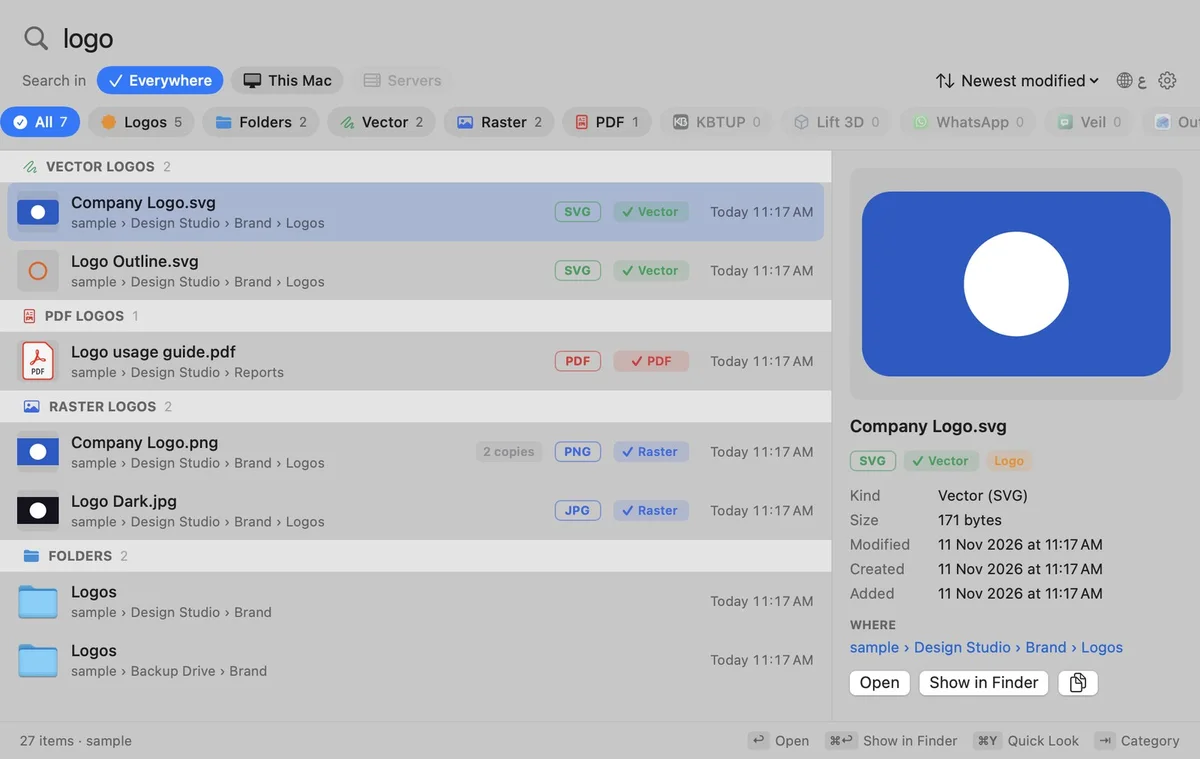
KBros Find on a Mac: the search “logo” with logos grouped as Vector, PDF and Raster
Logos grouped by kind, on a Mac
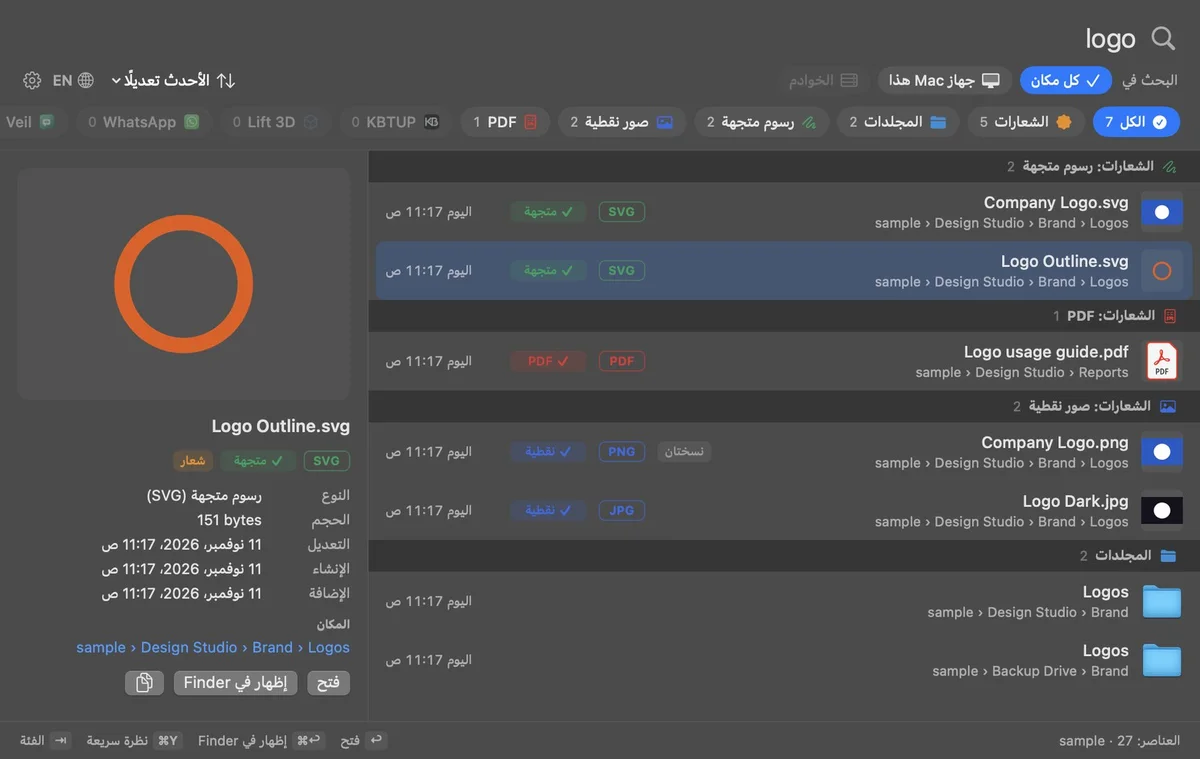
KBros Find in Arabic and dark mode, showing the logo results
In Arabic, light or dark
KBros Find on Windows: frequent folders on the first screen
Your folders first, on Windows

Download

Download, free

Every feature, no account, no ads. Pick your platform.

MacFree

KBros Find for Mac

Version
1.1.0
Size
1.7 MB
Requires
macOS 14 Sonoma or later
Runs on
Apple silicon and Intel
Download free.pkg · 1.7 MB
  • Open the .pkg for a guided install. KBros Find then waits in the menu bar: press Shift-Command-Space.
  • The first time, macOS asks to let it see your folders and drives and to control Finder (for Command-F and your recent folders). In English and Arabic.
Verify this download

SHA-256 fingerprint. In Terminal, run shasum -a 256 ‹file› and compare.

KBros-Find-1.1.0.pkg
6c3c65a014bb3d31f0e0be096110ff0738c7780c79205ce0426fdd6f03ebfda2
Mac install guide

WindowsFreeBeta

KBros Find for Windows

Version
1.1.0
Size
49.4 MB
Requires
Windows 10 or 11 (64-bit)
Runs on
Intel and AMD PCs; ARM PCs through Windows' built-in emulation
Download free.exe · 49.4 MB

New on Windows: tell us if anything does not work, and we will fix it quickly. Contact us

  • Windows may show “Windows protected your PC” the first time. Choose More info, then Run anyway (see the guide).
  • Open the file and click Install when it offers. KBros Find then waits in the tray by the clock: press Ctrl+Shift+Space.
  • In English and Arabic.
Verify this download

SHA-256 fingerprint. In PowerShell, run Get-FileHash ‹file› -Algorithm SHA256 and compare the Hash it shows. PowerShell writes it in capital letters; the value is the same.

KBros-Find-Windows-1.1.0.exe
c636f8329459432624ba9f7bb3abfd7628e7da2d4c4f0b7e3efdc6776f92c181

Windows install guide

A gift

Free for everyone

KBros Find is free for everyone: every feature, now and later.

  • Every feature, nothing locked.
  • No account and no ads.
  • Your list of files stays on your computer.

If KBros Find saves you a search every day, you can support KHBROS™ and help us make more.

Support KHBROS™

FAQ

Questions, answered

Is KBros Find really free?

Yes, for everyone: every feature on Mac and Windows, with no account, no ads and no time limit, and it stays free.

What does it search?

Your home folder, the apps on your computer, OneDrive (with what others shared kept apart), iCloud Drive, Dropbox and Google Drive folders, every USB or other drive and your network drives. A drive that is unplugged keeps its list, so its files still show up, greyed.

Does it read what is inside my files?

No. It lists the names, sizes and dates of files and folders, on your computer only, and nothing is uploaded.

How do I open it?

On a Mac: Shift-Command-Space from any app, Command-F in Finder, or the magnifying glass in the menu bar. On Windows: Ctrl+Shift+Space, Ctrl+F in File Explorer, or its icon in the tray. You can pick another shortcut in Settings.

KBros Find is an original KHBROS™ work, © 2026 KHBROS™. Its name, design, features and code are protected by copyright and may not be copied or imitated. Copyright notice

More from KHBROS™

More file apps

All of Files & backup · All 29 apps

  • Free · Every feature
    Standalone app

    KBackup: Backup

    Backup

    A menu-bar app that keeps your folders backed up to OneDrive, Google Drive, iCloud Drive, Dropbox or any drive, and never permanently deletes anything.

    Freeuntil 31 Dec 2026$19.99 (AED 75)from 1 Jan 202750% off, 1 to 14 Jan

    • Mac
    • Windowsbeta
  • Free gift · Every feature
    Standalone app

    KBros Dock: Your folders on the screen edge

    Your folders on the screen edge

    A dock on any edge of the screen: point at the edge and it slides in, folders open as a column tree and files preview with page arrows.

    Freefor everyone

    • Mac
    • Windowsbeta
    • Android