KPT Palette app icon

KPT Palette

Formatting panel

Inside PowerPointULTIMATE

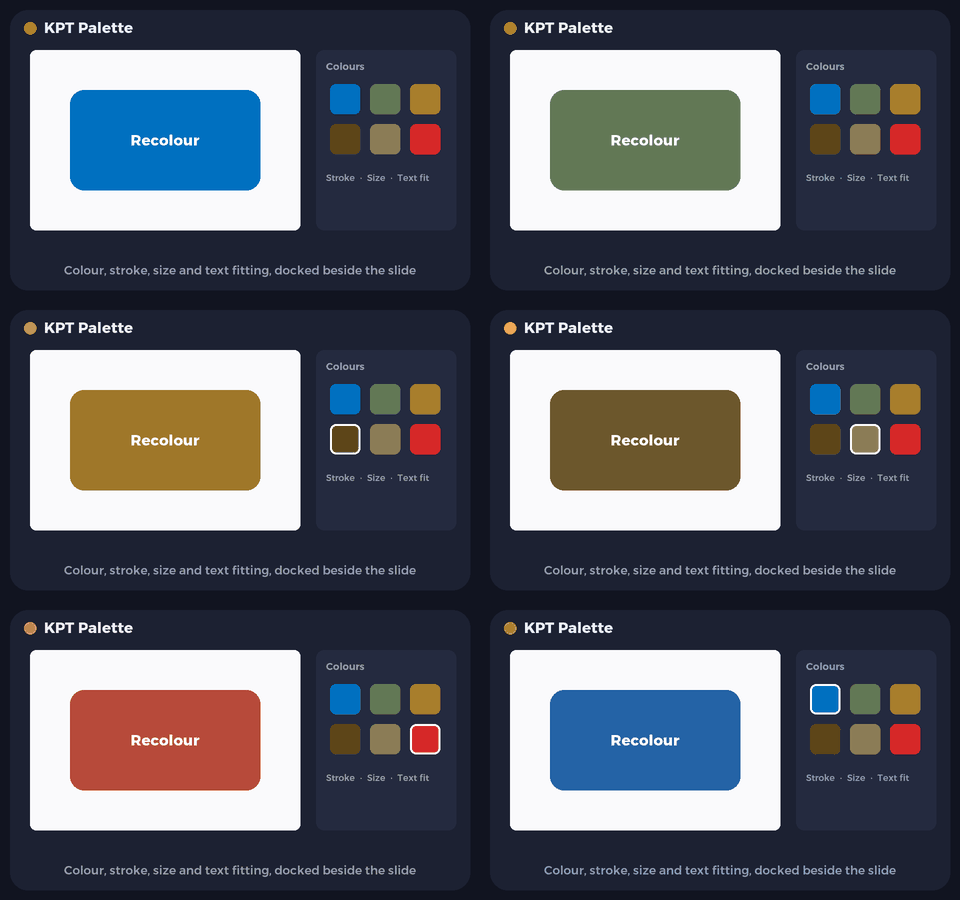
KPT Palette: Colour, size and text, docked beside the slide.

A docked panel for colour, line, size, font, paragraph and text fitting, so formatting is one click away.

BASIC · Free
  • PowerPoint for Mac
  • PowerPoint for Windowsbeta

BASIC is free. Version 1.5.0 · PowerPoint for Mac and Windows

Animated preview of KPT Palette
Illustrative preview.

What it does

KPT Palette in a minute

KPT Palette keeps the formatting you use most in one panel beside the slide, instead of across ribbon tabs and dialogs. Pick a colour, set a line width or transparency, and type an exact width and height in centimetres.

It also handles type: the typeface, capitals or small letters, paragraph alignment and margins, and how text fits its box. Select something on the slide and the panel reads its current values, so you always start from what is there.

  • Colour in one place

    Fill, line colour, line width and transparency without leaving the slide.

  • Exact sizes

    Width and height in centimetres, with an aspect lock.

  • Reads the selection

    Select a shape and the panel shows its current values.

  • Type controls

    Typeface, CAPS, lower case and title case in one row.

  • Paragraph and margins

    Alignment, vertical position and inner margins, side by side.

  • Text fitting

    Do not autofit, shrink on overflow, resize to text, wrap on or off.

Download

Download BASIC, free

No account, no time limit. Pick your platform.

PowerPoint for MacFree

KPT Palette Basic for PowerPoint

Version
1.5.0
Size
96 KB
Requires
PowerPoint for Mac (tested with 16.113)
Runs on
Apple silicon and Intel
Download BASIC (free).pkg · 96 KB
  • Asks for your Mac password. Quit PowerPoint (Command-Q) and reopen it: Home tab > Palette opens the panel beside your slide.
Verify this download

SHA-256 fingerprint. In Terminal, run shasum -a 256 ‹file› and compare.

KPT-Palette-Basic-1.5.0.pkg
08bf4bdd2373d46039fa7925134305462716d97041dcb4163c53e310fe64dce1


PowerPoint install guide

PowerPoint for WindowsFreeBeta

KPT Palette Basic for PowerPoint on Windows

Version
1.5.0
Size
2.9 MB
Requires
PowerPoint for Windows (Microsoft 365 or 2021 and later)
Runs on
Intel and AMD PCs, and ARM PCs
Download BASIC (free).zip · 2.9 MB

New on Windows: tell us if anything does not work, and we will fix it quickly. Contact us

  • Extract the zip, double-click the program inside and follow the message, then close and reopen PowerPoint: Home tab > Palette.
Verify this download

SHA-256 fingerprint. In PowerShell, run Get-FileHash ‹file› -Algorithm SHA256 and compare the Hash it shows. PowerShell writes it in capital letters; the value is the same.

KPT-Palette-Basic-1.5.0-Windows.zip
1cc51426fd017da4bc947084add01a9f36b2448c7781c7c59e3b80cde7234d39

PowerPoint for Windows install guide

BASIC and ADVANCED

What is in each edition

Everything in BASIC, plus the font, paragraph and text-fitting controls.

Free

BASIC

Free, no account, no time limit.

  • Fill and line colour
  • Line width and transparency
  • Exact width and height with aspect lock
  • Reads the selected shape
ADVANCED

ADVANCED

Everything in BASIC, plus:

  • Typeface
  • Change case
  • Alignment and position
  • Inner margins
  • Fitting modes
  • Wrap on or off

Waitlist

ADVANCED: coming soon. Join the waitlist.

We are finishing our UAE business licence before we open sales. Join the waitlist and we will email you the day ADVANCED opens.

  • KPT Palette is already selected for you.
  • One email when it opens. No newsletters.

We will only email you about ADVANCED and the apps you pick, and you can ask us to remove you at any time. See the privacy policy.

FAQ

Questions, answered

What is in BASIC?

Colour, line width, transparency and exact sizes, free. The font, paragraph, text margin and text fitting controls are shown but switched off: they come with ADVANCED.

Where does the panel appear?

On the Home tab in PowerPoint for Mac. It opens as a panel docked beside your slide and stays open while you work.

KPT Palette is an original KHBROS work, © 2026 KHBROS. Its name, design, features and code are protected by copyright and may not be copied or imitated. Copyright notice

More from KHBROS

More in ULTIMATE

All of ULTIMATE · All 12 apps

  • BASIC · Free
    Inside PowerPoint

    KPT: The PowerPoint toolkit

    The PowerPoint toolkit

    Text, arrange and table tools that save clicks on every deck.

    • PowerPoint for Mac
    • PowerPoint for Windowsbeta
  • BASIC · Free
    Inside PowerPoint

    KPT Style: Colour and scale

    Colour and scale

    Ten palettes, a contrast guard that keeps text readable, and Scale by % for PowerPoint.

    • PowerPoint for Mac
    • PowerPoint for Windowsbeta
  • BASIC · Free
    Inside PowerPoint

    KPT Pen Lab: Pen and vector tools

    Pen and vector tools

    A see-through pen layer for PowerPoint. Draw, then place your drawing as native shapes.

    • PowerPoint for Mac
    • PowerPoint for Windowsbeta
  • BASIC · Free
    Inside PowerPoint

    KPT Retouch: Offline AI picture editing

    Offline AI picture editing

    Photoshop-style edits and generative AI that run entirely on your Mac.

    • PowerPoint for Mac
    • PowerPoint for Windowsbeta
  • BASIC · Free
    Inside PowerPoint

    KPT Icon Library: Icons and infographics

    Icons and infographics

    A searchable panel of themed vector icons and editable infographic slides, right beside your slide.

    • PowerPoint for Mac
    • PowerPoint for Windowsbeta
  • BASIC · Free
    Inside PowerPoint

    KPT Infographics: Data to infographic

    Data to infographic

    Turns pasted data or text into a fully editable PowerPoint infographic slide, in English or Arabic.

    • PowerPoint for Mac
    • PowerPoint for Windowsbeta
  • BASIC · Free
    Inside PowerPoint

    KPT Quick Access: Designer toolbar

    Designer toolbar

    Fills PowerPoint's Quick Access Toolbar with designer tools: align, distribute, merge shapes, colours, pictures and more.

    • PowerPoint for Mac
    • PowerPoint for Windowsbeta
  • Free gift · Every feature
    Inside PowerPoint

    KPT Guides Off: No stray guides

    No stray guides

    Stops PowerPoint drawing guide lines through every slide of every deck you open or create.

    • PowerPoint for Mac
    • PowerPoint for Windowsbeta
  • BASIC · Free
    Inside PowerPoint

    SlideSmith: Templates that design

    Templates that design

    Upload your own PowerPoint templates, then restyle decks with them or turn text into finished slides, in English or Arabic.

    • PowerPoint for Mac
    • PowerPoint for Windowsbeta
  • BASIC · Free
    Standalone app

    Slide PRESS: Export to PDF

    Export to PDF

    Exports Office and iWork files to PDF or images with precise control of quality and size.

    • Mac
  • BASIC · Free
    Standalone app

    DocSmith: PDF to editable

    PDF to editable

    Turns PDFs and images into PowerPoint or InDesign files with editable text, while pictures, logos and layout stay exactly as they were.

    • Mac
  • BASIC · Free
    Standalone app

    KBackup: Backup

    Backup

    A menu-bar app that keeps up to two folders backed up to OneDrive and never deletes anything.

    • Mac
    • Windowsbeta