DocSmith app icon

DocSmith

PDF to editable

Standalone appULTIMATE

DocSmith: PDFs and images to PowerPoint or InDesign, with live text.

Turns PDFs and images into PowerPoint or InDesign files with editable text, while pictures, logos and layout stay exactly as they were.

BASIC · Free
  • Mac

BASIC is free. Version 1.1.0 · Mac

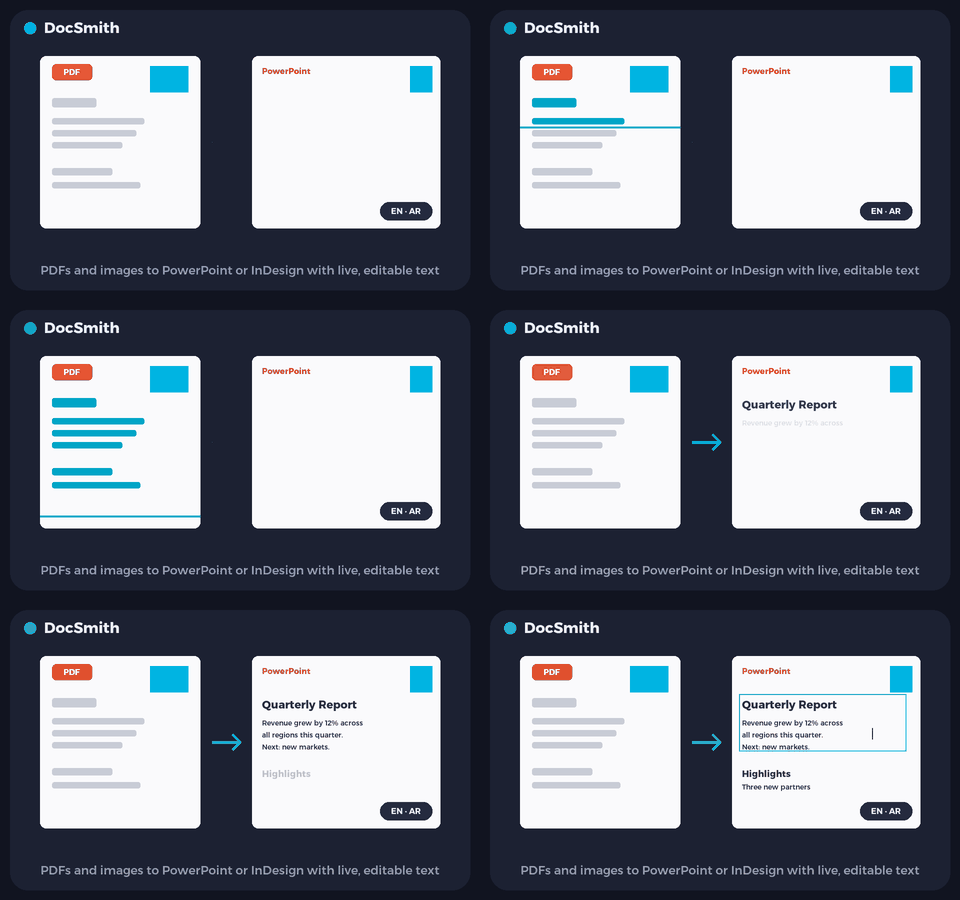
Animated preview of DocSmith
Illustrative preview.

What it does

DocSmith in a minute

DocSmith turns a PDF or an image into a PowerPoint or InDesign file where the text is live and editable. Every page keeps its pictures, logos, colours and layout exactly as they looked, with a real text box laid over each paragraph.

Text is read the way a person reads it, from the page itself, using the recognition built into macOS. That is why Arabic comes back as real letters you can search and edit, not the broken shapes that usually come out of a PDF. English and Arabic lines on the same page are both read.

  • Live, editable text

    Every paragraph becomes a text box you can retype.

  • Nothing else changes

    Pictures, logos, colours and layout stay exactly as they were.

  • Real Arabic

    Arabic comes back as proper letters, searchable and editable.

  • Scans and screenshots

    Images and scanned pages work the same way as PDFs.

  • PowerPoint or InDesign

    A .pptx, or an IDML file InDesign opens fully editable.

  • Private

    Everything happens on your Mac. Nothing is uploaded.

Download

Download BASIC, free

No account, no time limit. Pick your platform.

MacFree

DocSmith Basic for Mac with Apple silicon

Version
1.1.0
Size
171 MB
Requires
macOS 12 Monterey or later
Runs on
Apple silicon (M1 and newer)
Download BASIC (free).pkg · 171 MB
  • Installs DocSmith Basic in Applications. Open it, drop a PDF or an image and press Convert.
  • Not sure which Mac you have? Apple menu > About This Mac: "Chip" means Apple silicon, "Processor" means Intel.
Verify this download

SHA-256 fingerprint. In Terminal, run shasum -a 256 ‹file› and compare.

DocSmith-Basic-1.1.0-AppleSilicon.pkg
ed7497a5edc0b71f8ea1b4797935ffe98ef42278d696a80bc5684920761bb04a

Mac install guide

MacFree

DocSmith Basic for Mac with Intel

Version
1.1.0
Size
179 MB
Requires
macOS 12 Monterey or later
Runs on
Intel
Download BASIC (free).pkg · 179 MB
  • Installs DocSmith Basic in Applications. Open it, drop a PDF or an image and press Convert.
Verify this download

SHA-256 fingerprint. In Terminal, run shasum -a 256 ‹file› and compare.

DocSmith-Basic-1.1.0-Intel.pkg
47cd534d67bb8e5bf8d21c65e80547321590fe8d7c96b34e6f3de85056960f94

Mac install guide

BASIC and ADVANCED

What is in each edition

Everything in BASIC, plus InDesign output, any number of pages and many files at once.

Free

BASIC

Free, no account, no time limit.

  • PDF or image to PowerPoint
  • Editable English and Arabic text
  • Up to 10 pages per file, one file at a time
  • English and Arabic window
ADVANCED

ADVANCED

Everything in BASIC, plus:

  • InDesign (IDML)
  • Any number of pages
  • Many files at once
  • Arabic clean-up

Waitlist

ADVANCED: coming soon. Join the waitlist.

We are finishing our UAE business licence before we open sales. Join the waitlist and we will email you the day ADVANCED opens.

  • DocSmith is already selected for you.
  • One email when it opens. No newsletters.

We will only email you about ADVANCED and the apps you pick, and you can ask us to remove you at any time. See the privacy policy.

FAQ

Questions, answered

What is in BASIC?

PDFs and images to PowerPoint with editable English and Arabic text, up to 10 pages per file, one file at a time, free. ADVANCED adds InDesign, any number of pages, many files at once and Arabic clean-up.

Why not just open the PDF in PowerPoint?

A PDF stores Arabic as display shapes, often in reverse, so copied text breaks. DocSmith reads the page itself, so you get the real letters.

Which Macs does it run on?

Any Mac with macOS 12 or later, Apple silicon or Intel. Everything it needs is inside the app.

DocSmith is an original KHBROS work, © 2026 KHBROS. Its name, design, features and code are protected by copyright and may not be copied or imitated. Copyright notice

More from KHBROS

More in ULTIMATE

All of ULTIMATE · All 12 apps

  • BASIC · Free
    Inside PowerPoint

    KPT: The PowerPoint toolkit

    The PowerPoint toolkit

    Text, arrange and table tools that save clicks on every deck.

    • PowerPoint for Mac
    • PowerPoint for Windowsbeta
  • BASIC · Free
    Inside PowerPoint

    KPT Style: Colour and scale

    Colour and scale

    Ten palettes, a contrast guard that keeps text readable, and Scale by % for PowerPoint.

    • PowerPoint for Mac
    • PowerPoint for Windowsbeta
  • BASIC · Free
    Inside PowerPoint

    KPT Pen Lab: Pen and vector tools

    Pen and vector tools

    A see-through pen layer for PowerPoint. Draw, then place your drawing as native shapes.

    • PowerPoint for Mac
    • PowerPoint for Windowsbeta
  • BASIC · Free
    Inside PowerPoint

    KPT Retouch: Offline AI picture editing

    Offline AI picture editing

    Photoshop-style edits and generative AI that run entirely on your Mac.

    • PowerPoint for Mac
    • PowerPoint for Windowsbeta
  • BASIC · Free
    Inside PowerPoint

    KPT Icon Library: Icons and infographics

    Icons and infographics

    A searchable panel of themed vector icons and editable infographic slides, right beside your slide.

    • PowerPoint for Mac
    • PowerPoint for Windowsbeta
  • BASIC · Free
    Inside PowerPoint

    KPT Infographics: Data to infographic

    Data to infographic

    Turns pasted data or text into a fully editable PowerPoint infographic slide, in English or Arabic.

    • PowerPoint for Mac
    • PowerPoint for Windowsbeta
  • BASIC · Free
    Inside PowerPoint

    KPT Palette: Formatting panel

    Formatting panel

    A docked panel for colour, line, size, font, paragraph and text fitting, so formatting is one click away.

    • PowerPoint for Mac
    • PowerPoint for Windowsbeta
  • BASIC · Free
    Inside PowerPoint

    KPT Quick Access: Designer toolbar

    Designer toolbar

    Fills PowerPoint's Quick Access Toolbar with designer tools: align, distribute, merge shapes, colours, pictures and more.

    • PowerPoint for Mac
    • PowerPoint for Windowsbeta
  • Free gift · Every feature
    Inside PowerPoint

    KPT Guides Off: No stray guides

    No stray guides

    Stops PowerPoint drawing guide lines through every slide of every deck you open or create.

    • PowerPoint for Mac
    • PowerPoint for Windowsbeta
  • BASIC · Free
    Inside PowerPoint

    SlideSmith: Templates that design

    Templates that design

    Upload your own PowerPoint templates, then restyle decks with them or turn text into finished slides, in English or Arabic.

    • PowerPoint for Mac
    • PowerPoint for Windowsbeta
  • BASIC · Free
    Standalone app

    Slide PRESS: Export to PDF

    Export to PDF

    Exports Office and iWork files to PDF or images with precise control of quality and size.

    • Mac
  • BASIC · Free
    Standalone app

    KBackup: Backup

    Backup

    A menu-bar app that keeps up to two folders backed up to OneDrive and never deletes anything.

    • Mac
    • Windowsbeta